Heightmap
Guide by Hart
Right click on the image and select 'Open Image in New Tab' to see it full-screen
Generate the flat terrain.
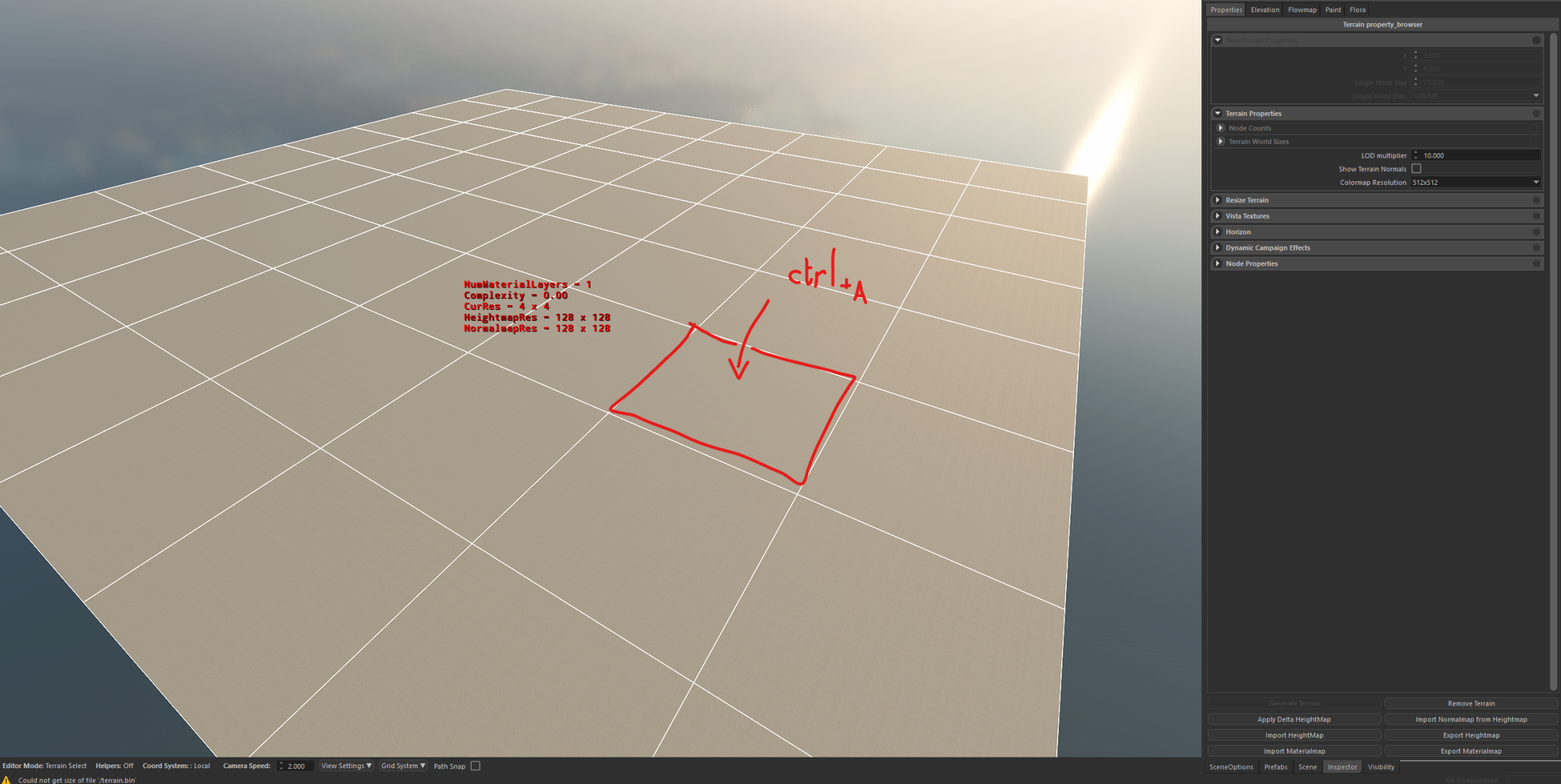
Then select every node.
ctrl+A selects all in one click:
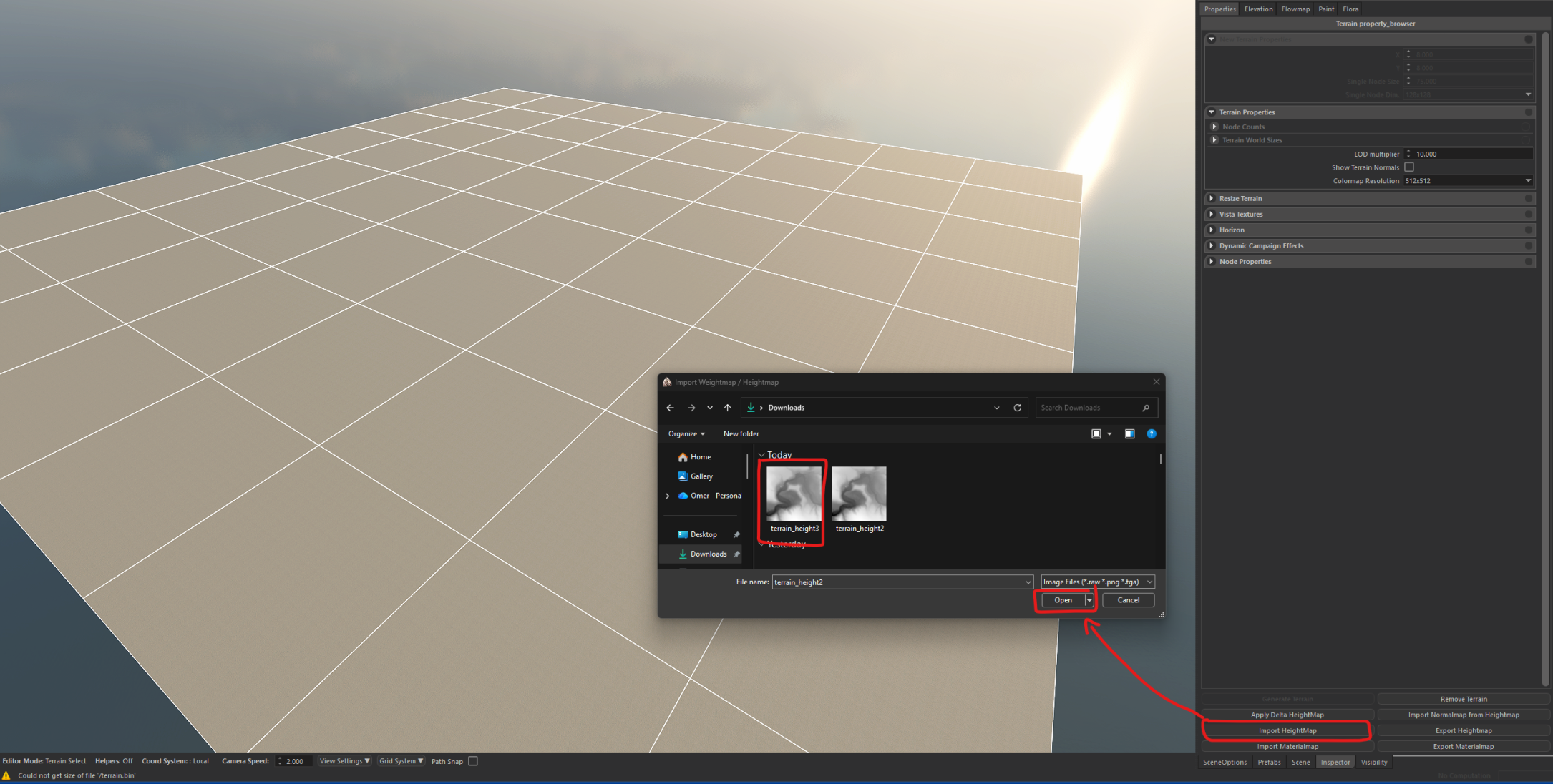
While all is selected, click at the bottom right to get this popup and find your desired heightmap:
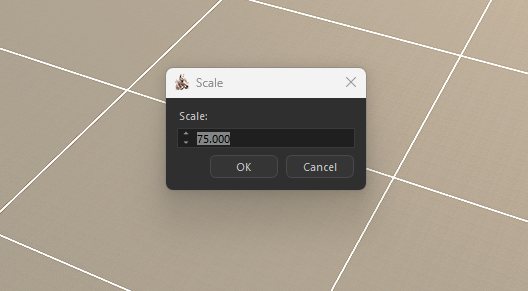
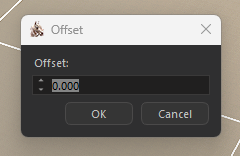
Next two popups will be scale and offset.
Scale -> trial and error:
Offset -> don't touch:
Once you go here, you use the landscape shaper tool to see the height of the lowest point and highest point while hovering. this will give you a rough estimate of what you need to change with your input in scale:
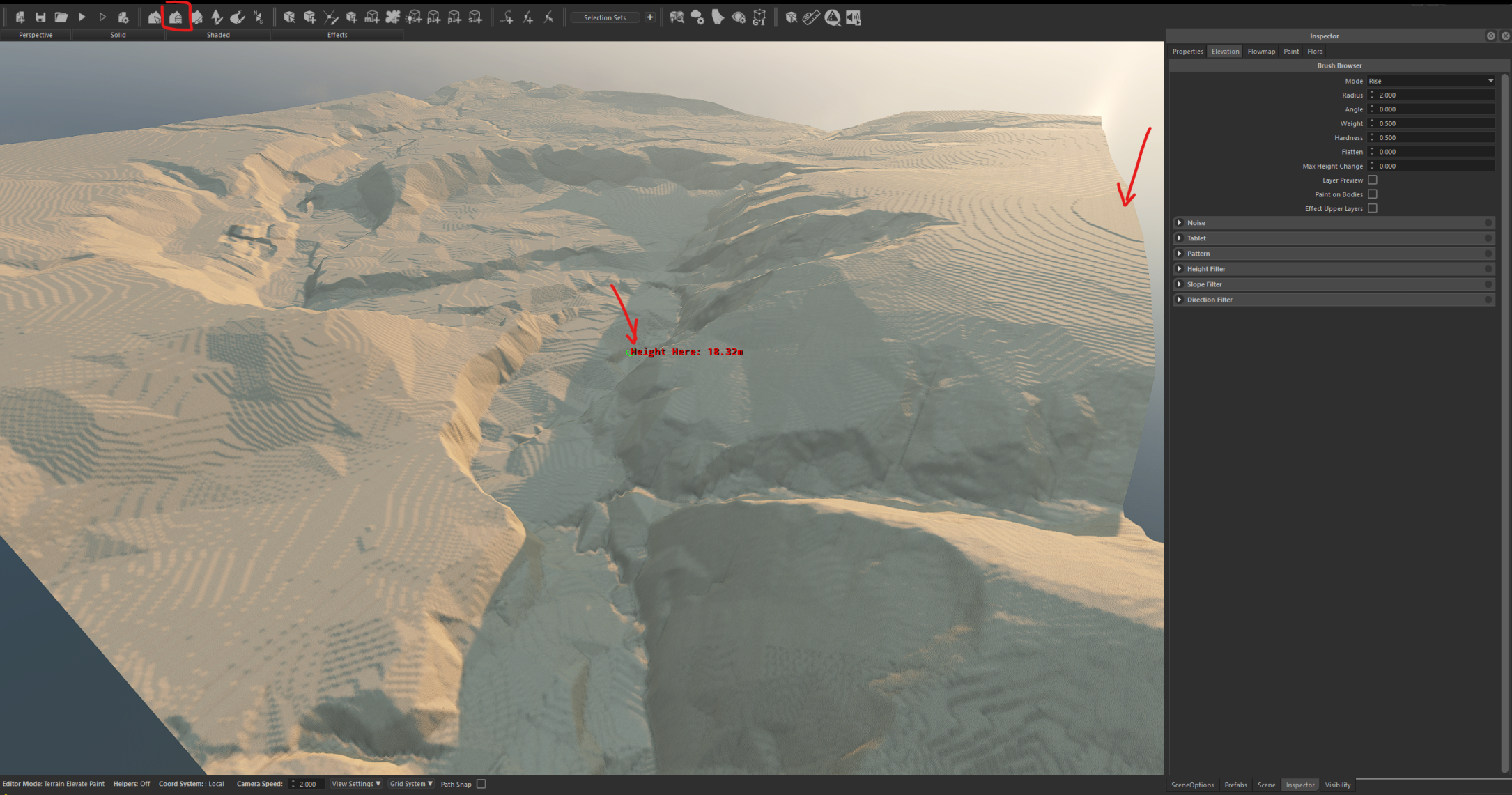
Then simply repeat the import step and test the height again.