Custom Load Screens

Size: 1920 x 1080
Names: ui_loading_1, ui_loading_2 ... ui_loading_11, ui_loading_12
In the Editor import into YOUR_MODULE/Assets/GauntletUI/
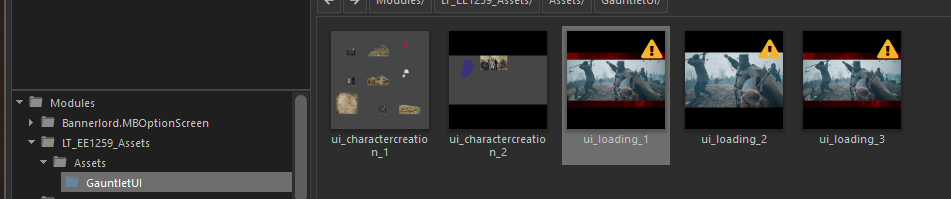
Set these flags and press Save:
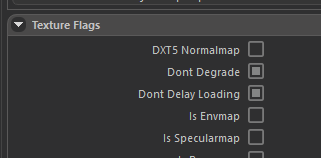
For 1.4
Using the same load screens for warsails and base game - by anian
How loading screens work is: base game loading screens are loaded => warsails overwrite the base game files. We can trick the game into thinking it already loaded the war sails loading screens, when it actually hasn't meaning it will showcase base game load screens, the ones named: ui_loading_[x]
protected override void OnSubModuleLoad()
{
    if (IsWarSailsLoaded)
    {
        var modules = Module.CurrentModule.CollectSubModules();
        var navalGauntletModule = modules.FirstOrDefault(m => m is NavalDLCGauntletUISubModule);
        FieldInfo category = AccessTools.Field(typeof(NavalDLCGauntletUISubModule), "_initializedLoadingCategory");
        category.SetValue(navalGauntletModule, true);
    }
}
How to change the default image on the game start?
This shows on game start when no mod is loaded yet. Overwrite native tpac files?